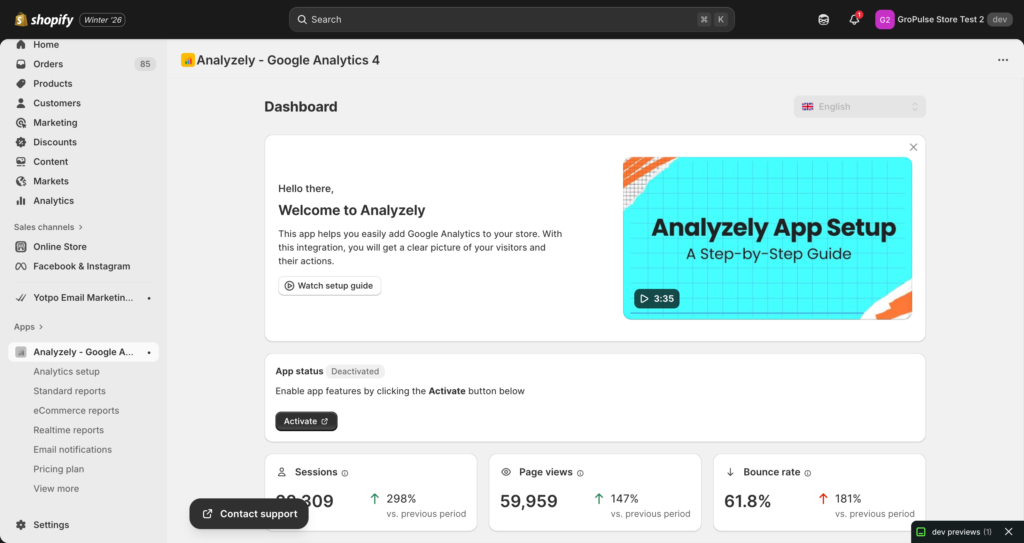
Welcome to the official documentation for Analyzely, the easy-to-use Google Analytics 4 (GA4) integration app for Shopify stores. This documentation will help you set up, configure, and get the most out of your analytics tracking.

What is Analyzely?

Analyzely is a Shopify app that seamlessly integrates Google Analytics 4 with your online store. It enables you to track customer behavior, monitor sales performance, and gain valuable insights into your store’s performance – all without writing a single line of code.

Key Features

  • Easy GA4 Integration – Connect your Google Analytics account with just a few clicks
  • Enhanced eCommerce Tracking – Track product views, add to cart, checkout, and purchase events automatically
  • Server-Side Events – Get more accurate tracking data with server-side event processing (Pro)
  • Comprehensive Reports – View standard, eCommerce, and realtime reports directly in the app
  • Email Notifications – Receive scheduled analytics reports in your inbox
  • GDPR Compliance – Built-in consent banner for privacy compliance (Pro)
  • AI Report Analysis – Get intelligent insights from your analytics data

Documentation Guides

Getting Started

GuideDescription
Getting StartedQuick start guide for new users
Google Analytics SetupComplete GA4 configuration guide
Dashboard OverviewUnderstanding your analytics dashboard

Reports

GuideDescription
Standard ReportsSessions, page views, and traffic analysis
eCommerce ReportsSales, revenue, and conversion tracking (Pro)
Realtime ReportsLive visitor activity monitoring (Pro)

Tracking Configuration

GuideDescription
Event TrackingConfigure enhanced eCommerce events
Server-Side TrackingEnable server-side event tracking (Pro)
GDPR Consent BannerSet up privacy consent banner (Pro)

Additional Features

GuideDescription
Email NotificationsConfigure scheduled email reports
Pricing PlansCompare Free and Pro plan features
Troubleshooting & FAQCommon issues and answers

Plan Comparison

FeatureFreePro
GA4 Measurement ID IntegrationYesYes
Standard ReportsYesYes
Report Download (PDF)YesYes
Google Consent Mode V2YesYes
eCommerce Reports–Yes
Realtime Reports–Yes
Server-Side Events–Yes
Client-Side Events–Yes
GDPR Consent Banner–Yes
Email Reports (eCommerce)–Yes
Priority Support–Yes
  • App Dashboard: Access from your Shopify Admin > Apps > Analyzely
  • Support: Contact our support team through the in-app chat
  • External Documentation: GroPulse Help Center

Need Help?

If you cannot find the answer you are looking for in this documentation:

  1. Check the Troubleshooting & FAQ guide
  2. Use the in-app support chat (available in the app footer)
  3. Contact our support team for priority assistance (Pro plan)

Note: Features marked with “(Pro)” require an active Pro subscription (Monthly or Yearly plan).